The Mac app
your body makes time for
A guided movement break for your Mac —
a stretch, a pause, and a little less sitting
while you work.
YOUR VIDEO GOES HEREFrom your desk to a movement break
Film a person working at their computer, then standing up and following Moov’s movements. Show the actual app on the Mac. Wide 16:9 framing.
Less sitting.
A small pause.
A repeatable habit.
Guided movements.
At your own pace.
GENUINE FEEDBACK TO ADD
Place a real Moov beta tester’s short quote here.
Include their name, role and permission. No invented testimonials.1 / 3
A little movement.
A real break.
Moov turns a pause at your desk into a guided movement.
Pick a stretch, follow the demonstration, then return to your day.
IMAGE TO CREATEMoov in a real workspace
Create a wide desktop scene with a person standing beside their Mac during a Moov break. Use a clean workspace, natural light, and no private content.
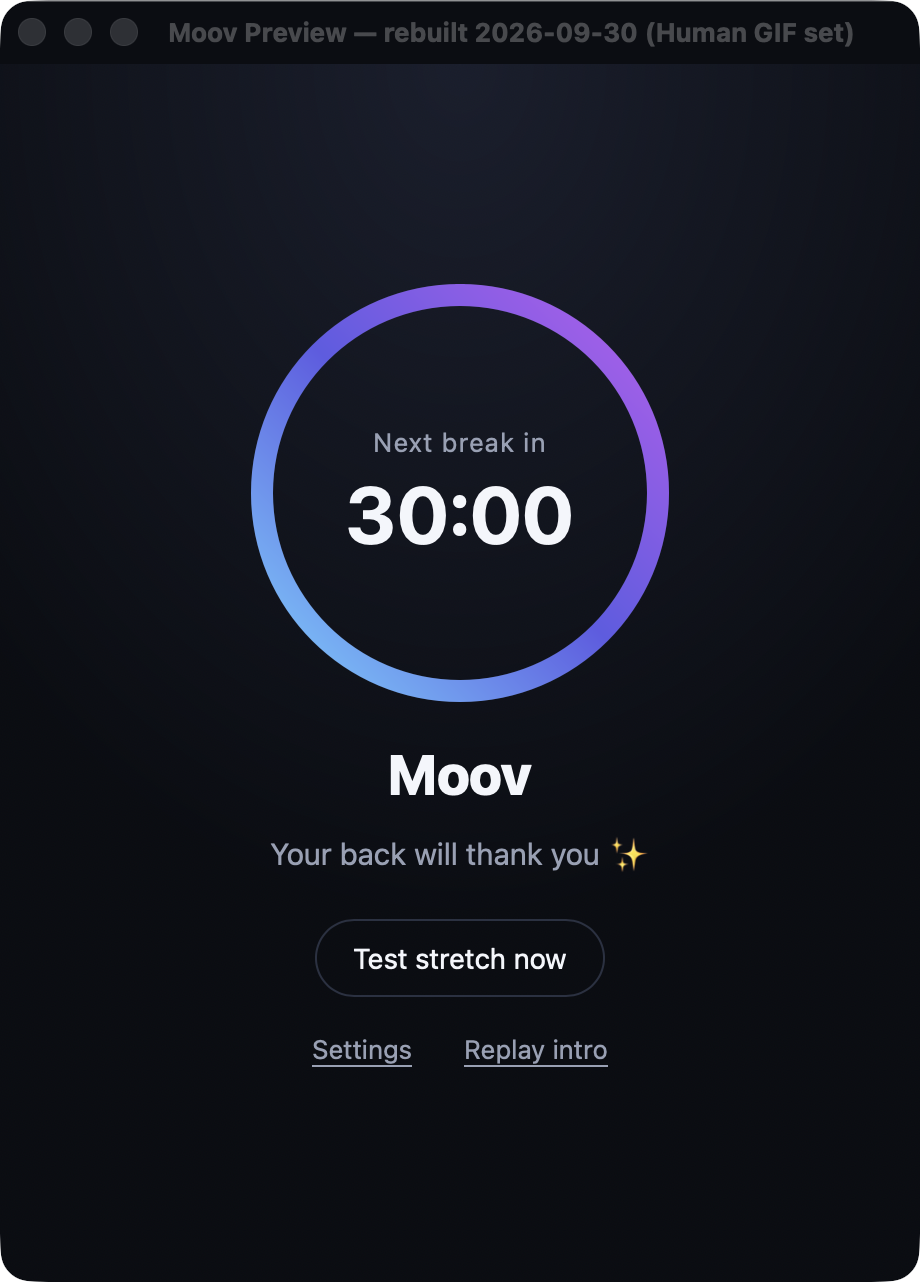
Make room
Choose an interval for your movement breaks.
Follow a movement
Choose from the six exercises in the app.
Return to your day
Complete the break and get back to your work.
Break intervalExercise choicesRepetition levelPause controlsTimed fallback
Step away
from every Mac screen
The break covers your connected Mac displays,
keeping the movement in front of you.
IMAGE TO CREATEConnected displays, one movement break
Create a low-angle wide scene of a Mac and its external displays, each showing the same Moov break. Keep screens legible and the background simple.
Movement, with a little guidance
A demonstration to follow and an on-device movement check.
Keep the movement gentle and in a comfortable range.
IMAGE TO CREATEThe movement guide
Create a close view of Moov’s exercise demonstration beside a person doing the same movement. Use one of the six actual exercises; do not invent an app screen.
IMAGE TO CREATEThe movement check
Capture the actual on-device check during an approved test. Frame only the app, show a clear pose, and exclude private surroundings.
Overhead decompressionLumbar extensionStanding side bendStanding hip hingeMarch in placeChest-opening arm swings
Your workday.
Your rhythm.
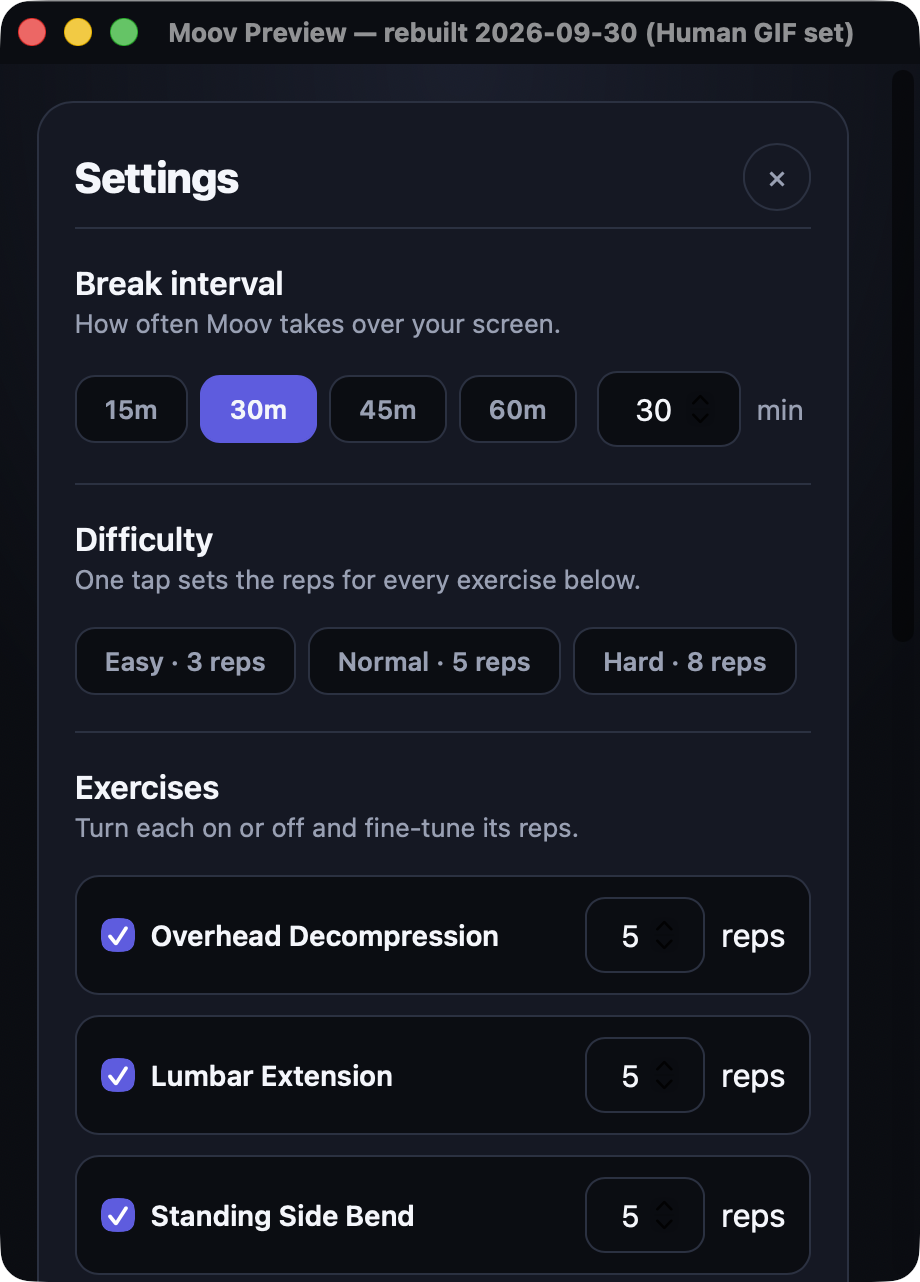
A few simple settings.
A break that fits you.
IMAGE TO CREATEChoose your interval
Create a tight crop of the actual interval options, keeping the labels and selected state readable.
IMAGE TO CREATESet your repetitions
Create a close crop of the real repetition control. Use the original app styling.
IMAGE TO CREATEChoose your movements
Show the actual exercise choices and their enabled states. Use a tidy crop of the app.
Movement checks stay on your Mac.
A timed option when the camera is unavailable.
IMAGE TO CREATEOn-device camera check
Create a real app capture of the camera permission explanation or on-device check. No identifying room details.
IMAGE TO CREATETimed fallback
Capture the actual timed fallback during an approved test; show the guide and timer clearly.
Make a little space
for movement.
A desktop break you can make your own.
Download for Mac ↗Inside Moov
IMAGE TO CREATEThe Mac preview
Create a clean close-up of the actual home window on a Mac, with no personal desktop content.
IMAGE TO CREATEA rhythm that fits
Use the real settings window, with a neat crop focused on the interval and repetition controls.
IMAGE TO CREATEGuided movement
Create a photo of someone following an actual Moov exercise in a bright, uncluttered workspace.
Make room for movement
IMAGE TO CREATEStart with a small pause
Photograph a person stepping back from their desk in a light workspace. Wide 16:9 crop.
IMAGE TO CREATEFind your rhythm
Photograph a hand at a Mac with the actual Moov settings visible. Keep the screen legible.
IMAGE TO CREATEMove comfortably
Photograph an actual offered stretch, full body visible, simple background and natural light.
Move comfortably
Follow the guide gently. Stop if a movement feels painful or uncomfortable.
Learn moreDownload Moov for Mac
Signed and notarized installer · Apple Silicon · macOS 11.0+
Download for MacA confirmed purchase and activation token are required to use Moov. Accounts and purchases are available.