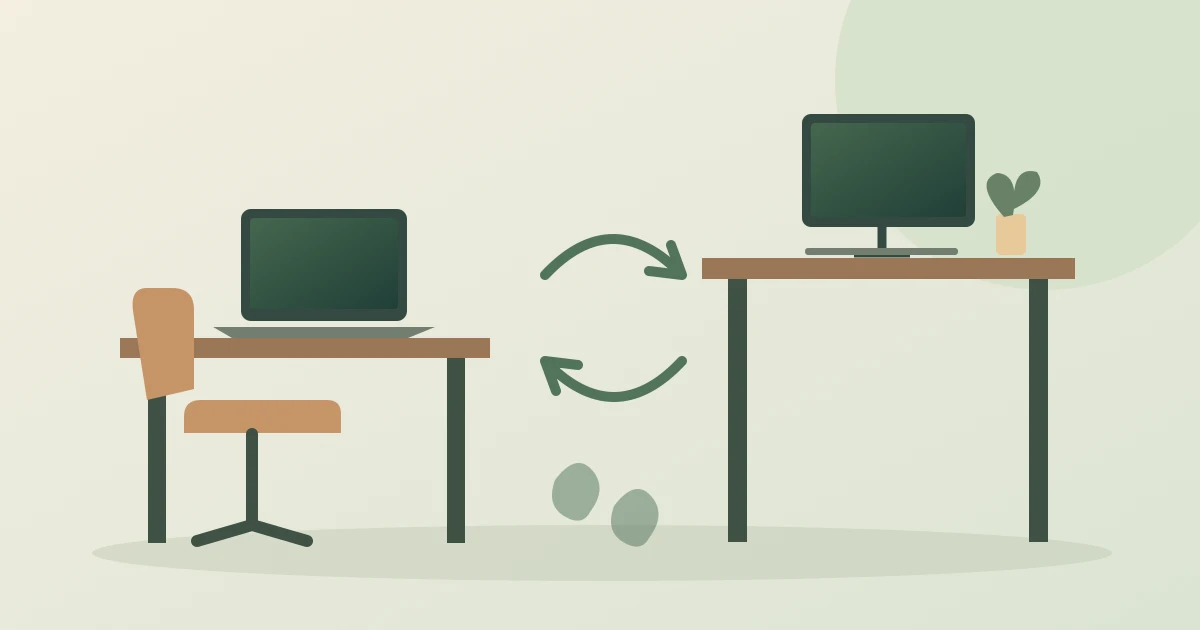
Standing desk vs sitting desk: the short answer
A height-adjustable desk gives you another working position. That can be useful, but buying one does not automatically create a healthier routine. The practical choice is not sitting all day versus standing all day. It is a workstation you can use comfortably, with opportunities to change position and move.
If you already own a standing desk, focus on using its flexibility rather than reaching a standing-hours target. If you have a fixed sitting desk, you can still leave it for movement breaks. A new purchase is not a prerequisite for that.
| Choice | What it changes | What not to assume |
|---|---|---|
| Comfortable sitting | A supported position for desk work | One well-adjusted chair removes the need to change position |
| Standing at a desk | Another posture while continuing computer work | Standing still is the same as taking a walk |
| A movement break | A pause from the working position and task | Every break needs a workout or a stretch routine |
Standing desk benefits: what the evidence supports
A 2018 Cochrane review found low-quality evidence that sit-stand desks reduce workplace sitting over short and medium follow-up periods. Spending less time seated is a different outcome from proving that a desk prevents illness, treats back pain, or produces lasting weight loss.
More recent research also cautions against treating standing as a substitute for activity. A 2024 observational study of 83,013 UK adults found that more standing time was not associated with lower major cardiovascular disease risk. It was associated with higher risk of orthostatic circulatory conditions. The study measured total daily posture, not a randomized standing-desk intervention, so it cannot show that buying a desk causes or prevents disease.
Walking breaks are a separate question. In a small Columbia University laboratory study, five minutes of light walking every half hour improved blood-pressure and blood-sugar responses compared with uninterrupted sitting. There were only 11 participants, and outcomes were measured in eight-hour laboratory sessions, not over months or years. That schedule is an example studied under controlled conditions, not a universal prescription or proof of long-term protection.
The takeaway is modest: equipment, posture, and physical activity are different things. Don't use evidence about one to promise benefits from another.
How long should you stand at your desk?
There is no single established sit-to-stand ratio for everyone. The Canadian Centre for Occupational Health and Safety (CCOHS) describes differing timing recommendations and advises alternating positions. If standing is new to you, increase it gradually rather than trying to work on your feet for hours immediately.
Use comfort and the task as inputs, not a challenge to endure. UChicago Medicine's practical guidance recommends easing into standing, sitting when tired, and including walks. A standing desk is an option, not an obligation for someone whose condition or mobility makes standing unsuitable.
Keep the screen and input devices usable in both positions. CCOHS recommends relaxed shoulders and a keyboard height that lets your elbows stay around a right angle. Raising a laptop alone may leave you choosing between a low screen and high hands; Mayo Clinic recommends a separate keyboard and mouse with a laptop stand for a more adjustable setup. Its sit-stand setup guide provides the fuller checklist.
A practical sit, stand, move work block
Here is a workflow example, not a medical dose or an optimal schedule. Adjust it to your tasks, access needs, and any advice you have been given.
- Start with the position that suits the task. For a focused writing block, that may be comfortable sitting. There is no need to interrupt a useful setup just to complete a standing quota.
- Use a task transition to reconsider your position. After saving a document or finishing a call, try a short standing block if it is comfortable and your desk supports it. Returning to sitting is allowed.
- Keep a separate cue to leave the working position. A posture change can happen while you keep typing. A break should interrupt that pattern. Walk a short route if suitable, or choose an accessible movement that works for you.
- Make restarting easy. Before stepping away, leave one line describing your next action. The break then has a clear end without becoming another task to organize.
If you use a timer, let it prompt a choice: “change position, move, or plan the next workable pause.” Do not interpret every alert as an instruction to stand longer. For a fuller approach to alerts you repeatedly dismiss, see how to remember to take breaks at work.
What if you do not have a standing desk?
Keep computer work at a usable seated workstation, and take the break away from it. You can stand or move during an appropriate phone call, walk to get water, or take a short route around your room. If those options do not suit your mobility, choose an accessible position change or movement instead.
Avoid making an unstable laptop tower just to tick a standing box. Before buying equipment, identify the actual problem: an uncomfortable setup, few chances to move, or simply forgetting to pause. A desk may address the first two in some situations, but it cannot make the decision for you.
Common questions
Is standing all day better than sitting all day?
It is not the goal. Use the desk to vary your position, not replace one long stationary stretch with another. Take computer breaks too; CCOHS explicitly says a sit-stand desk does not remove that need.
Does a standing desk replace exercise?
No. Standing while typing is not a substitute for your broader physical-activity routine. The NHS exercise guidance recommends regular activity as well as reducing prolonged sitting. Workstation changes and exercise serve different purposes.
Do I have to stretch during every break?
No. A break can simply be a change of activity or a little movement. If you want optional stretch ideas for another time, our guide to tight hips from sitting includes safety boundaries. Stretching is not a requirement for using a standing desk.
A reminder for the Mac workday
If the missing piece is remembering to pause, Moov offers configurable movement reminders and its own guided standing movements for Apple Silicon Macs running macOS 11.0 or later. You can pause reminders manually around calls. It does not diagnose or treat symptoms, and this article's sit-stand workflow is not a claim that the app detects your posture or controls your desk.
First-run practice currently requires a camera-checked repetition; timed fallback applies to regular breaks. See our Mac break-reminder guide for that setup distinction before choosing an app.
Two free breaks, then sign in and verify your email for an eligible seven-day trial. No card required. Continued access after the trial requires a paid plan. See access terms.
Related practical guide: Do you need an anti-fatigue mat at a standing desk?.
For a practical next step, read our guide to measuring for a converter or a full standing desk.