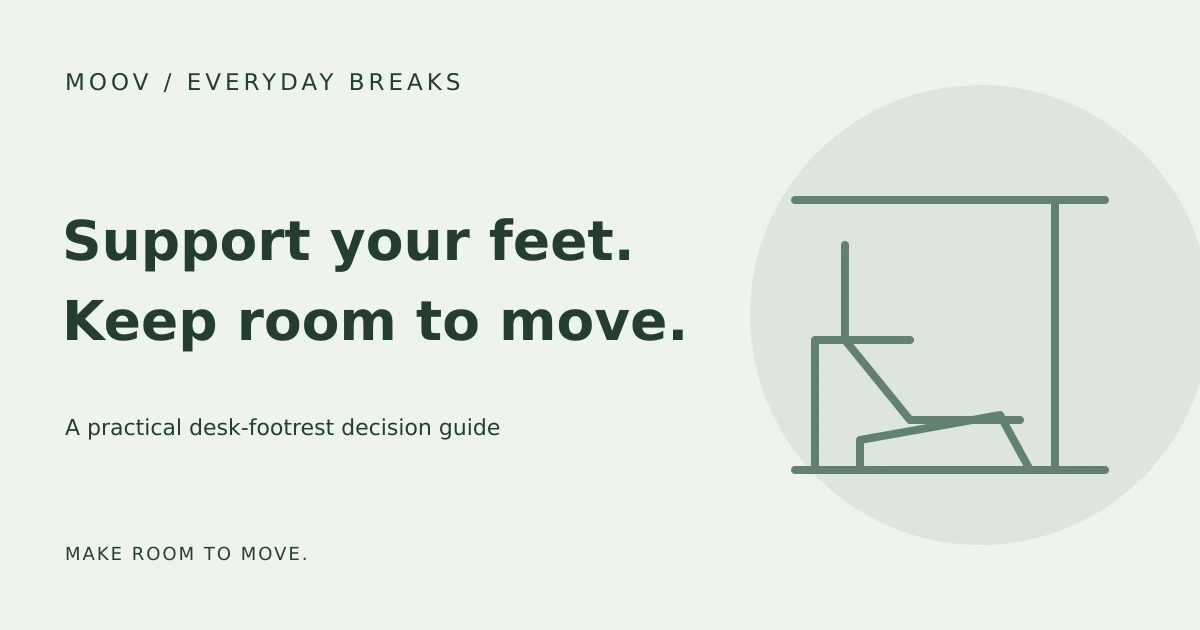
Start with the chair–desk mismatch
Picture a common home-office problem: lower the chair and your feet reach the floor, but the keyboard feels too high. Raise the chair and typing feels easier, but your feet dangle. The problem is the combination of furniture and body dimensions, not a failure to sit “correctly.”
CCOHS treats the seat, work surface and floor as related contact points. At a fixed-height desk, a footrest can provide support without forcing you to lower a chair that is otherwise at a useful typing height.
Before buying anything, note which problem you actually have: unsupported feet, a seat that is too deep, or a desk that leaves too little space above your thighs. A footrest addresses the first; it does not automatically solve the others.
Adjust the workstation in this order
- Set up your typing area. Bring the keyboard and mouse within comfortable reach. Avoid arranging them where you must lift your shoulders to work.
- Adjust the chair for that work surface. Sit back against its support rather than perching at the edge to reach the keyboard.
- Check your feet. If they are comfortably supported already, a footrest is not essential simply because it is marketed as ergonomic.
- Check seat depth. If the seat edge presses behind your knees before your back reaches the backrest, examine the seat-depth adjustment or chair fit.
- Add foot support if a gap remains. Recheck the whole arrangement with your usual footwear.
OSHA recommends stable foot support when lowering the seat would make the keyboard or monitor too high. If your desk can be lowered safely, that may be another solution. Do not force a footrest into a setup where it leaves your knees jammed beneath the desk.
For a MacBook, do not solve only the lower half of the setup. A separate keyboard and mouse let you position the screen independently. See our MacBook workstation guide.
Choose support by fit, not a universal height
There is no single footrest height that fits every chair, person and desk. Use the gap in your adjusted setup as the starting point, then check the result while seated. These are practical selection checks, not a medical prescription:
- Usable height range: the support reaches your feet without lifting your knees uncomfortably.
- Enough surface: both feet have room, including when you change their position.
- Stability: the support does not slide away or tip when you rest your feet on it.
- Under-desk clearance: it fits around cables and furniture without trapping your legs.
- Easy exit: you can move the chair back and stand without stepping over it.
A rocking surface is an optional preference, not a requirement for an ergonomic workstation. Likewise, a soft cushion and a firm platform can feel very different. If possible, test the actual height and return conditions rather than choosing by a photograph.
A footrest is for supporting your feet while seated. Do not stand on it unless its manufacturer specifically designs it for that use. An unstable pile of objects is not a useful substitute for stable support.
Test it during real work, not only a seated photo
Try a normal typing task, then reading, then reaching for something you regularly use. Ask yourself:
- Do I stay supported without constantly pushing the footrest back into place?
- Can I reach the mouse without leaning away from the backrest?
- Can I change position rather than feeling locked into one pose?
- Is there unwanted pressure from the seat edge or desk?
Change one adjustment at a time and note whether it improved the specific problem. If support feels wrong, revisit the chair and desk rather than assuming a more expensive accessory is the answer. Our ergonomic-chair decision guide covers when chair fit itself is the issue.
New or persistent pain, numbness or other symptoms deserve advice from a qualified health professional. A shopping checklist cannot determine their cause.
Keep movement separate from furniture fit
A supported seated position is not a reason to remain still all afternoon. The HSE recommends breaks or changes of activity that interrupt display-screen work. Think of foot support and movement as two different jobs: one improves the setup you return to; the other changes what you are doing.
For example, finish a work block, move the chair back, step away from the desk when practical, and return to the same comfortable arrangement. See walking breaks at work for low-complexity options. A footrest should make that transition easier, not become another obstacle beneath the desk.
Moov offers configurable break intervals and six guided standing movements for Apple Silicon Macs running macOS 11.0 or later. It is a movement reminder, not a workstation assessment or treatment for pain.
First-run practice requires a camera-checked repetition; the timed fallback applies to regular breaks. Read the setup and camera details before trying it.
Two free guest breaks, then sign in and verify your email for a seven-day trial. No card required. A paid plan is needed afterward.